
Automating Threat Hunting with Hunt Intelligence (Hunt.io) — Part 1
- Published
- Reading time
- 5 min
- Analyst
- @volrant136
- Region
- ALL
- hunt.io
- automation
- threat intelligence
- python
- HuntSQL
- threat hunting

Contents
Threat hunting has traditionally meant analysts scrolling through feeds, copy-pasting indicators of compromise (IOCs) into search bars, and manually cross-referencing infrastructure to figure out what's real, what's noise, and what's worth escalating.
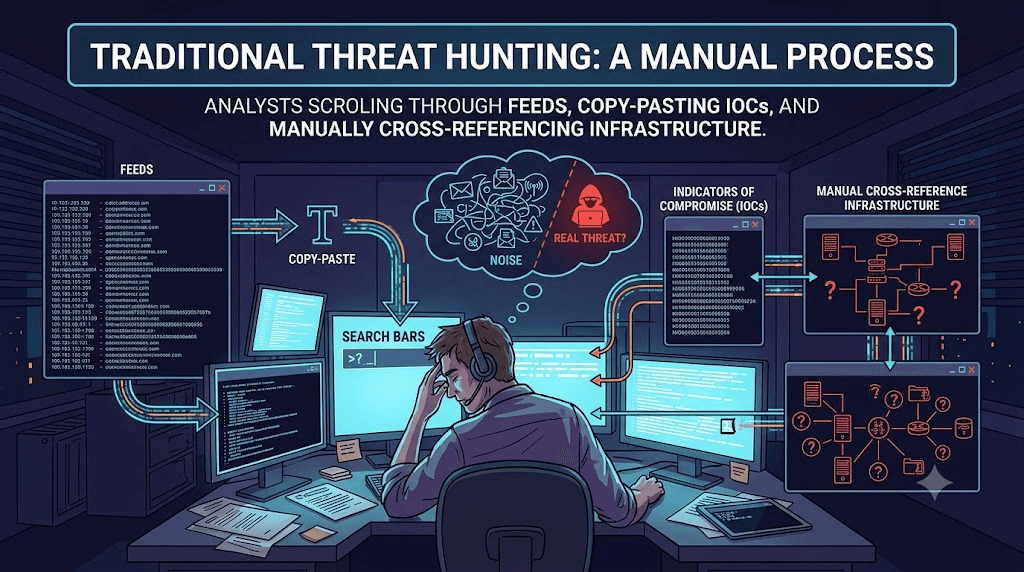
Automation doesn't replace the analyst but it removes the repetitive triage work (fetching, deduplicating, cross-referencing, filtering noise) so time can be utilize only for validation.
This is Part 1 of a series where I build exactly that kind of pipeline on top of Hunt.io's threat intelligence platform (opens in a new tab) by using IOC Hunter (opens in a new tab) feed by enriching them using HuntSQL™ (opens in a new tab) queries for automated pivots.
The API surface
The two endpoints this pipeline leans on:
| Endpoint | Purpose |
|---|---|
GET https://api.hunt.io/v1/feeds/ioc-hunter | Pulls the IOC Hunter feed as gzip-compressed JSONL, with a configurable lookback window (days) and optional publication_domain filter |
GET https://api.hunt.io/v1/sql?query=... | Runs a HuntSQL query and returns JSON results, with pagination support |
Every request needs a token header for authentication, and the query parameter must be URL-encoded.
So, our pipeline runs one endpoint to get indicators, one endpoint to ask questions about them.
Where This Starts: IOC Hunter Posts
Before writing any code, it's worth looking at what we're automating around. The IOC Hunter → Posts view in the Hunt.io platform lists individual write-ups pulled from public threat research, each with extracted IOC counts (IPs, hosts, hashes) and any attributed malware or threat actor.
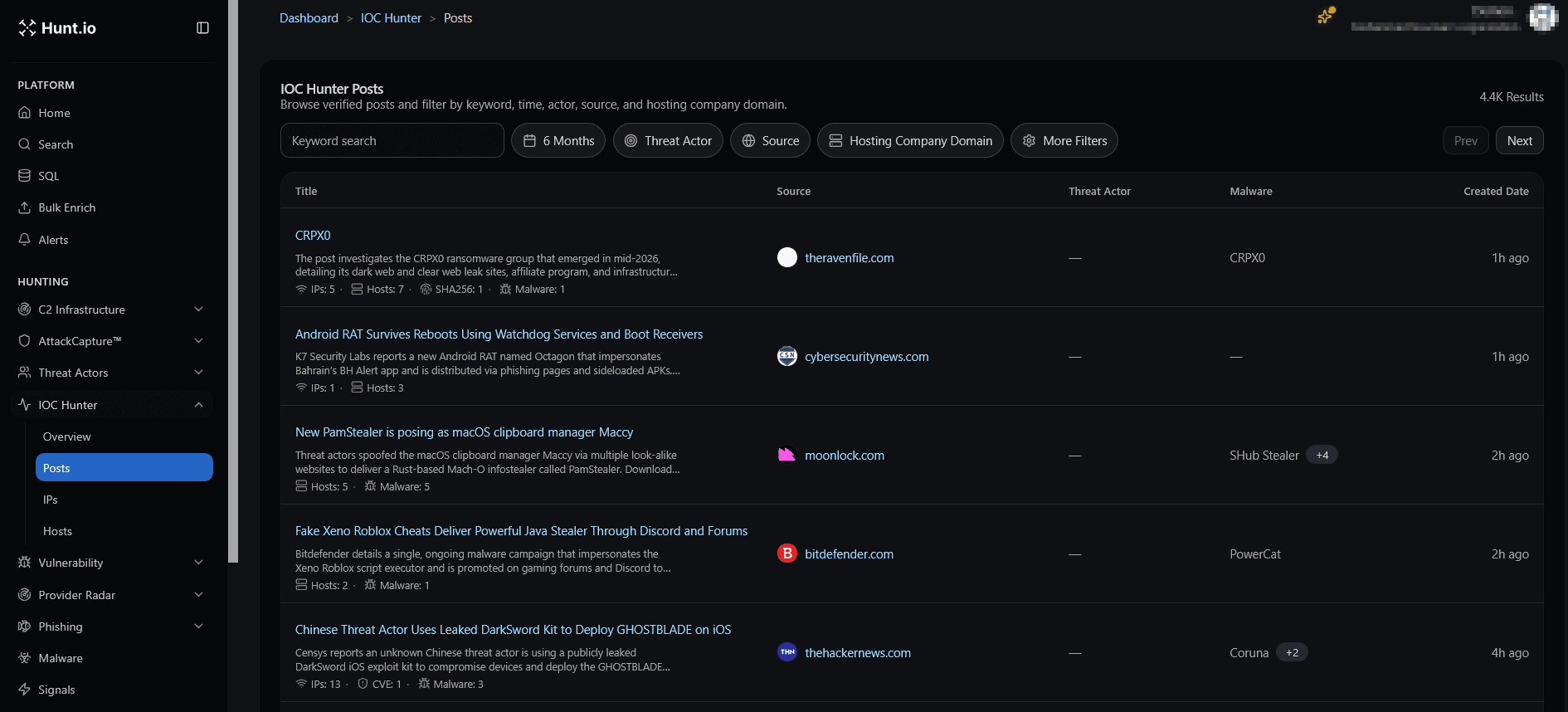
One entry from a recent feed pull:
Android RAT Survives Reboots Using Watchdog Services and Boot Receivers — sourced from cybersecuritynews.com
Opening the post shows the kind of structured metadata IOC Hunter extracts automatically: a written summary of the campaign, a list of associated hosts and IPs, malware files, and a timestamp.
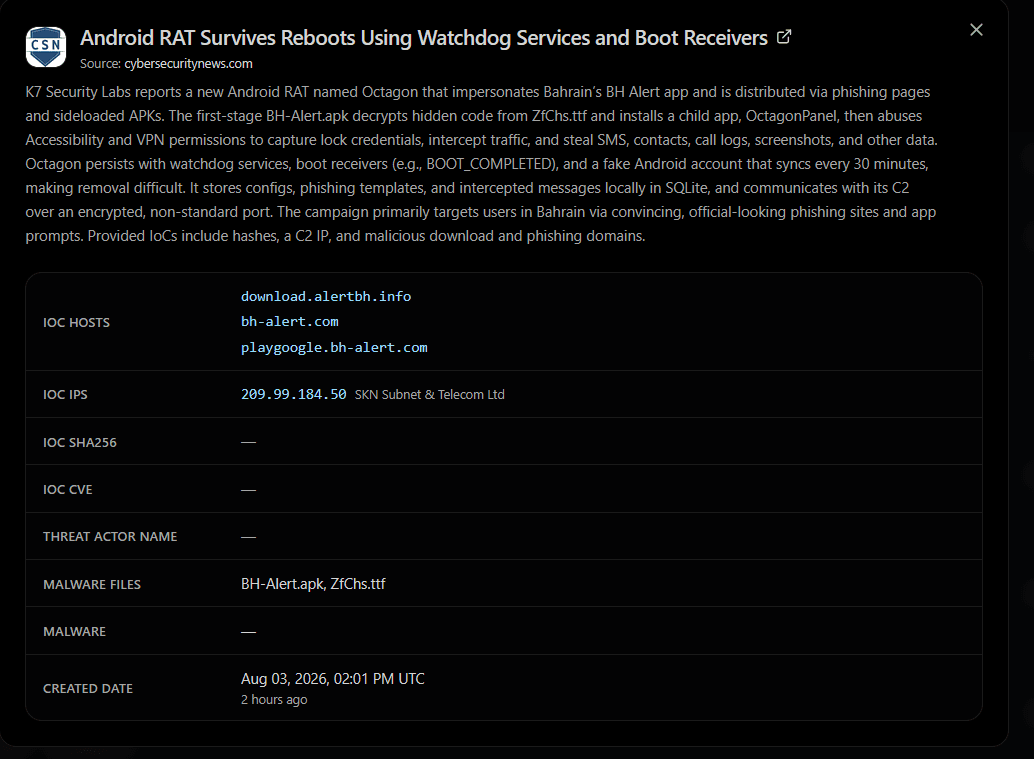
That structured record is exactly what our pipeline pulls via the feed endpoint.
The question our automation then answers is: has any of this infrastructure shown up elsewhere on the internet, under a different name, since this report was published?
A Template Query: Pivoting on title
Every page Hunt.io's crawlers touch gets a captured page title.
The core query pattern looks like this:
1-- Step 1: find what a known-bad IP or domain resolves to, title-wise
2SELECT title FROM crawler WHERE ip == 'Any IP / Domain'
3
4-- Step 2: take that title and find every OTHER host serving the same page
5SELECT url FROM crawler WHERE title == 'Any title'
The first query answers what does this indicator look like? The second answers the more valuable question: what else looks exactly like it?".
Here's the shape of the pipeline end to end:
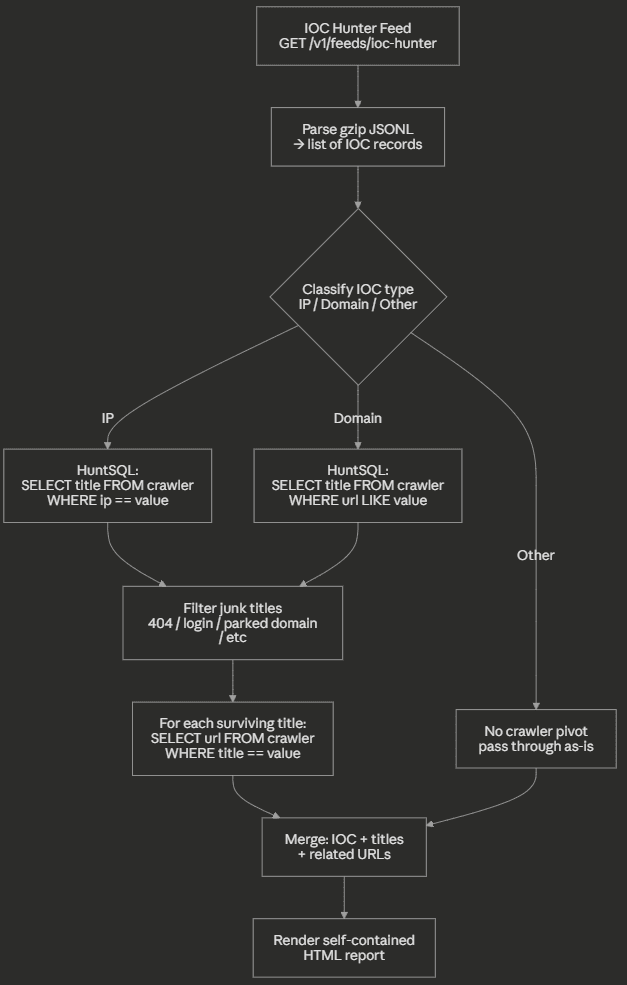
Two design choices matter here:
-
Title filtering happens before the second pivot. Titles like
"404 Not Found"or"Just a moment..."are common to millions of unrelated pages and gets dropped. -
The pivot is two-hop, not one-hop.
IOC → title → other URLs sharing that titleis what actually surfaces new, previously-unknown infrastructure.
Building It: Code Walkthrough (Pseudocode)
Let's talk about the pieces that matter conceptually, with the full implementation details deliberately left out.
a. Fetching and decoding the feed
1def fetch_ioc_feed(token, days=7, publication_domain=None):
2    # GET the feed endpoint with a lookback window
3    response = get(FEED_URL, params={days, publication_domain}, headers=auth(token))
4    # feed body is gzip-compressed JSON-Lines — one IOC record per line
5    records = [json.loads(line) for line in gunzip(response.body).splitlines()]
6    return records
The feed itself is compressed JSONL rather than a single JSON blob so decompress first, then parse it.
b. Classifying and Pivoting per IOC
1def enrich_ioc(token, ioc):
2    kind = classify(ioc.value)          # "ip" | "domain" | "other"
3    if kind == "other":
4        return ioc                      # no crawler pivot available for hashes/emails
5
6    titles = huntsql(token, title_query_for(kind, ioc.value))
7    titles = [t for t in titles if is_meaningful_title(t)]   # drop 404s, parked pages, etc.
8
9    urls = []
10    for title in titles[:5]:            # cap fan-out to respect rate limits
11        urls += huntsql(token, f"SELECT url FROM crawler WHERE title == '{title}'")
12
13    ioc.hunt_titles, ioc.hunt_urls = titles, urls
14    return ioc
The important idea, not the exact syntax: classify → query → filter → re-pivot.
c. Respecting the API's rate limits
As I am firing dozens of HuntSQL queries per feed pull, a simple token-bucket limiter and exponential backoff on 429 responses keeps the pipeline polite:
1def rate_limited_request(...):
2    wait_if_over_budget()          # token bucket, N requests/sec
3    response = get(...)
4    if response.status == 429:
5        sleep(backoff)
6        retry()
7    return response
d. Rendering the Report
The last step folds every enriched IOC into rows of a static HTML table with client-side search/filter/sort in plain JavaScript for interactive purpose.
The Payoff: Reading the Generated Report
Running the pipeline against a 1-day feed window produced a report covering 236 IOCs containing 24 IPs, 131 domains, and 81 other indicator types, with 2 IOCs successfully enriched via the title pivot and 10 related URLs surfaced that weren't in the original feed at all.
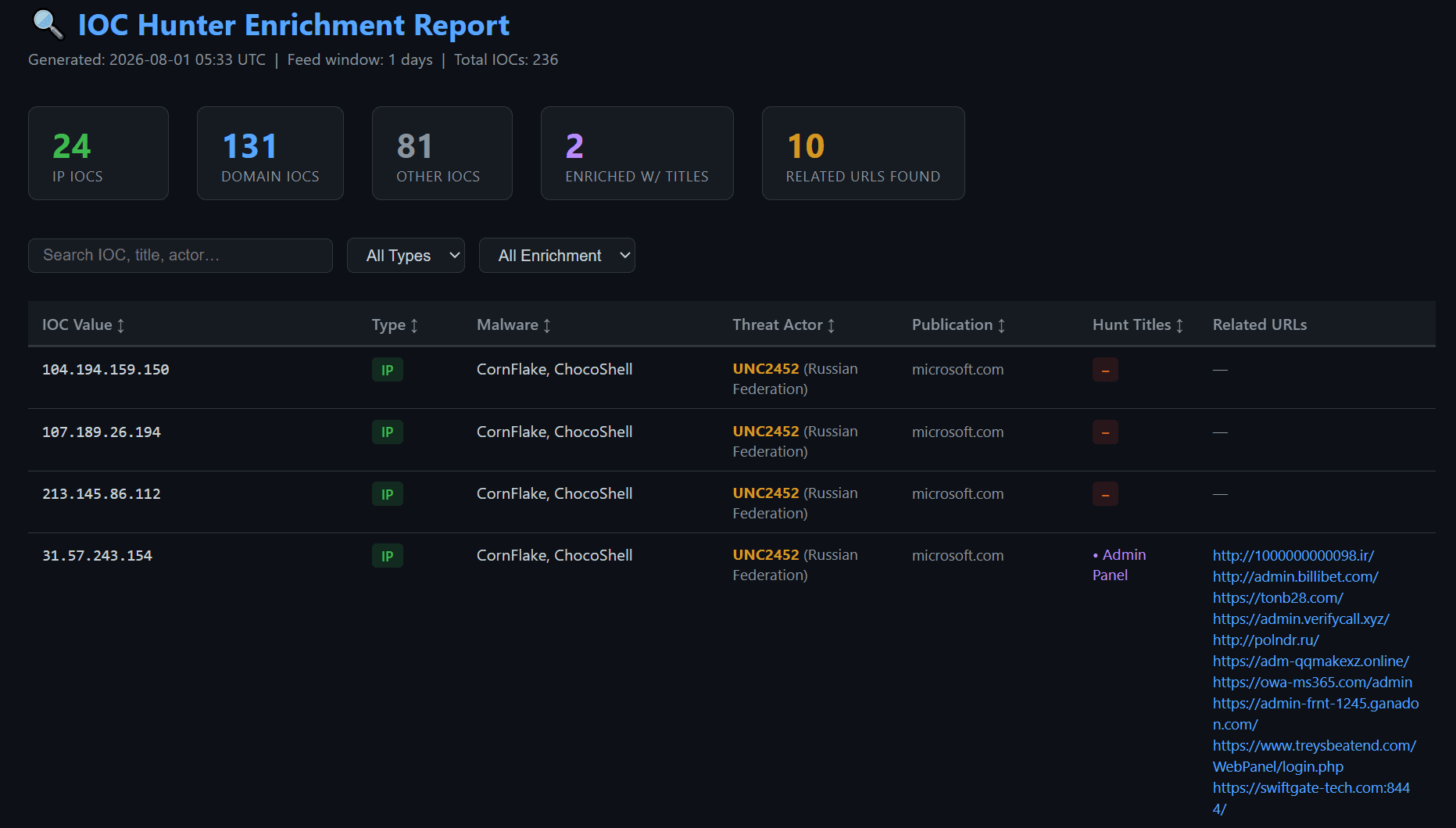
Boom!, we got pivot in one click.
One IP, 31.57.243.154, tagged with CornFlake / ChocoShell malware and attributed to UNC2452, matched a crawler-captured page titled "Admin Panel."
Pivoting on that title alone surfaced ten additional URLs having a mix of typosquatted domains, fake Microsoft 365 login pages, and admin-panel lookalikes, none of which were present in the original feed record for that IP.
The same title pivot also matched another domain listed in same blog (owa-ms365.com), confirming the connection instead of leaving it as a coincidence.
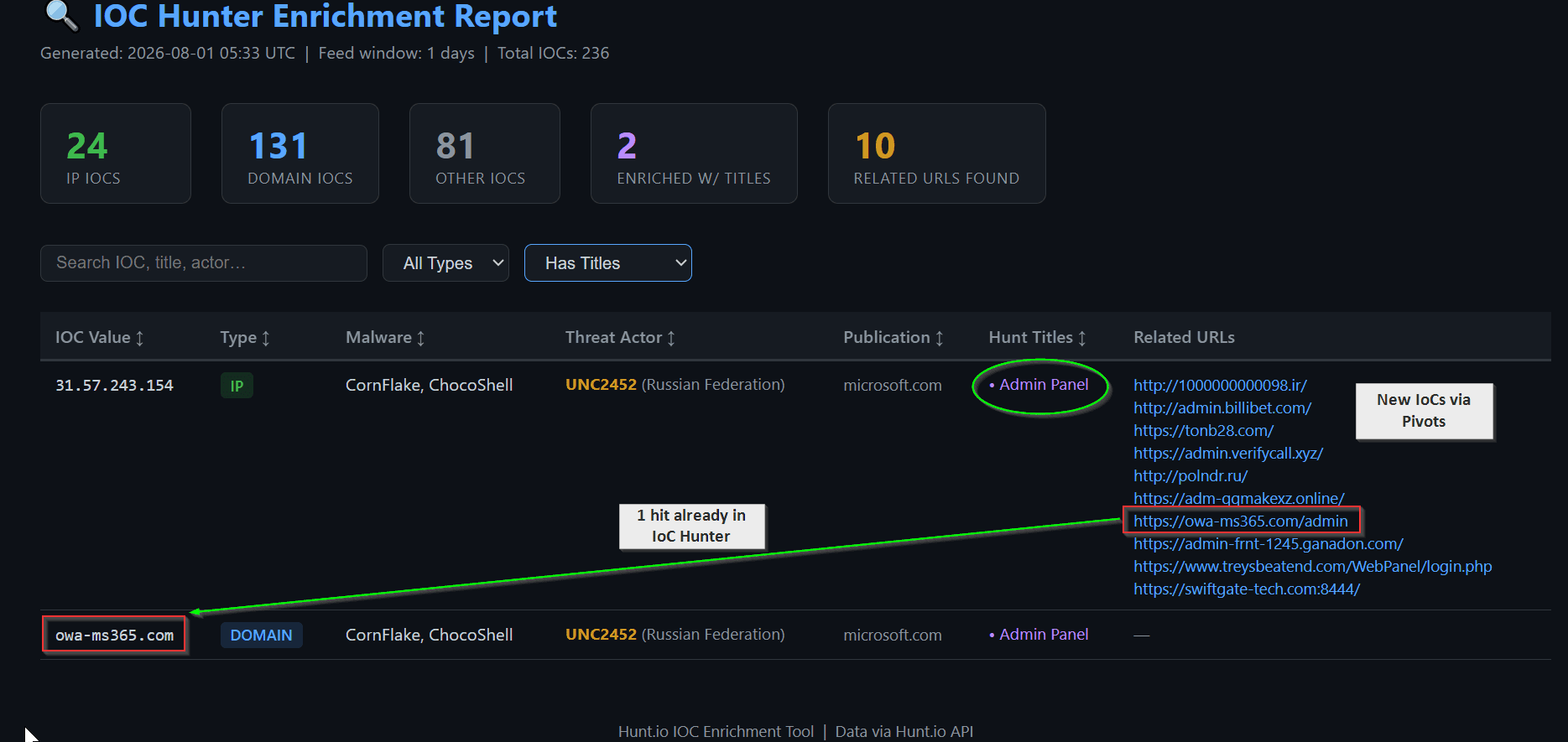
This is a pratical example showing how a single IOC from a published report turned into ten new leads, surfaced automatically, with zero manual pivoting. We are skipping the validation part here!
So, I have built pipeline that pull a feed, classify each IOC, pivot on page titles through HuntSQL, filter out the noise, and hand the analyst a browsable report instead manual work.
I will try more interesting pivots in the future. Stay Tuned!
Published by @volrant136
Related research
- Threat Research

One Host, Six Operations: How Two Open Directories Exposed a Multi-Target Campaign
Two open directories on a single Singapore host exposed the working files behind six separate operations. The recovered data shows a mix of LLM gateway fraud, government and military reconnaissance, credential spraying, SQL injection attempts, proxy infrastructure, and a confirmed compromise of a Mexican web application.
20 minutes to read - Threat Research

Nigerian and Kenyan Government Portals Targeted by Suspected Chinese-Speaking Operator in Multi-Stage Credential Harvesting Campaign
An exposed server uncovered a collection of scripts, credentials, session artifacts, and exploitation tooling targeting government portals across several countries. This investigation traces the infrastructure from DeHashed searches and WordPress testing to Java deserialization payloads and a Telegram-controlled automation framework.
17 minutes to read - Threat Research
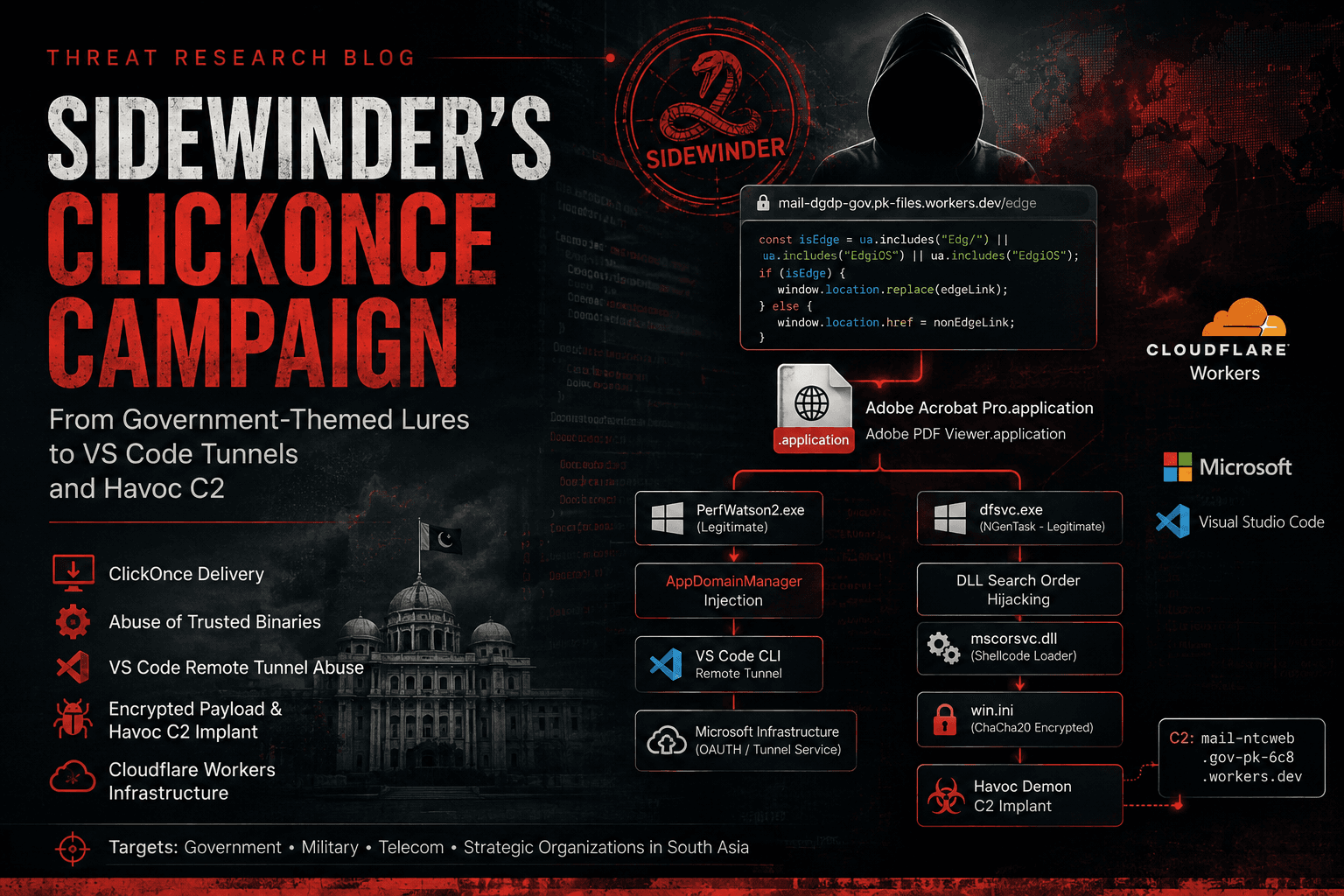
APT SideWinder ClickOnce Campaign: VS Code Tunnel Abuse and Havoc C2 via Pakistani Government Lures
Two active SideWinder campaigns abusing ClickOnce and signed Microsoft binaries. One hijacking VS Code Remote Tunnel for C2, the second dropping a ChaCha20-encrypted Havoc implant disguised as win.ini.
20 minutes to read